

Creating booklets to save on paper:
You can save the school money by printing booklets – You can print 2 pages on a single side of A3, for the same cost as printing a single side on A4. Instead of printing multiple pages only to then staple them together you can create booklets by following these instructions:
- Inside the document you want to print go file > print.
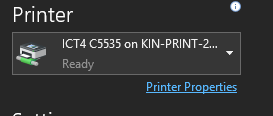
- Ensure the printer you want to use is selected and choose ‘Printer Properties’.
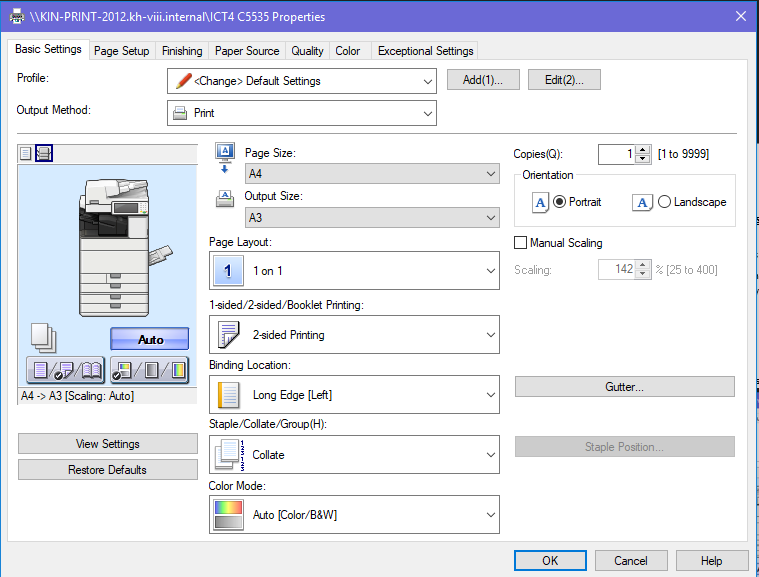
- Once the properties box pops on the ‘Basic Settings’ tab change your ‘Output Size’ to A3.
- Find the option called ‘1-Sided/2-Sided/Booklet Printing’
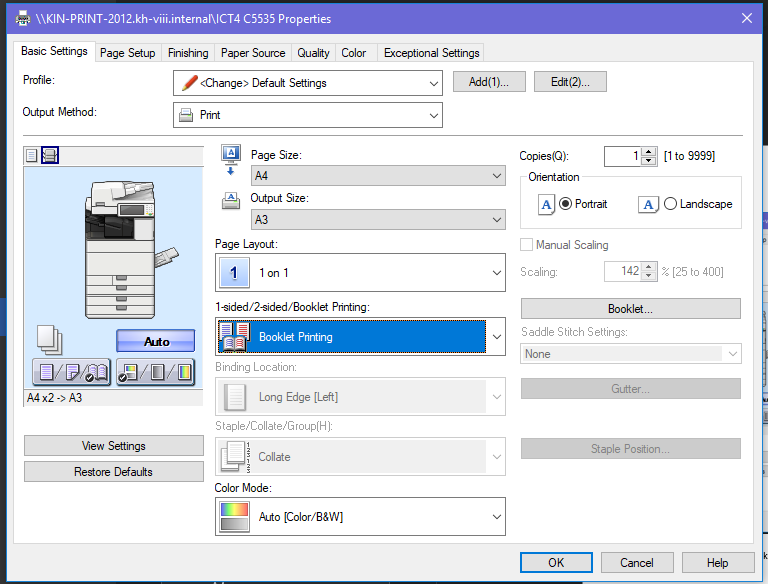
- This setting will stick so you must remember to change it back before printing other documents.